
Want one of your staff members to have access to schedule and create appointments for other staff as well as the ability to view their leads? Use the Staff Access under the employee's profile to do just so.
Steps
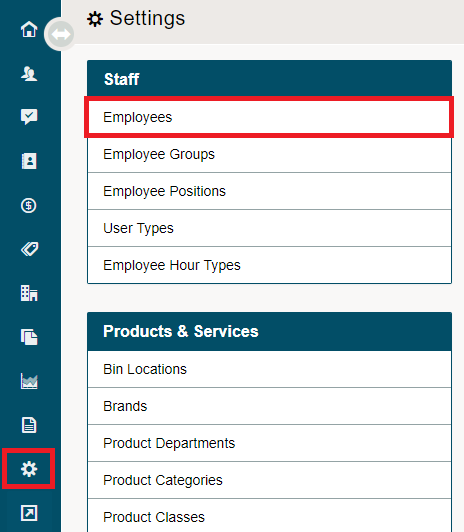
Go to the System Settings Module located on the left-hand menu. Click on Employees under the Staff heading.
Open the employee's profile.

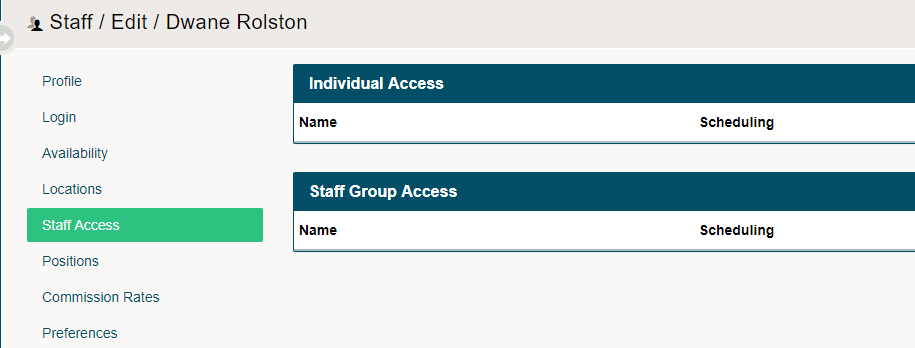
If you would like to add a full group of employees, use the (Add Group) button. If you only have select individuals that the employee should see, use the (Add Staff) button.

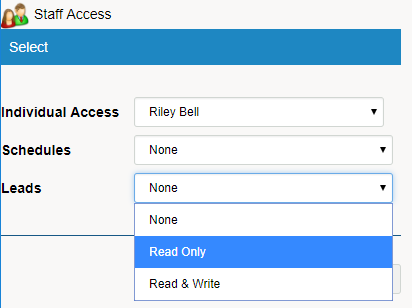
After clicking on (Add Individual OR Add Group), in the new window select the (Individual or Group) and then from the drop downs.
Allow the staff member to (None, Read Only, Read & Write) on Schedules and Leads of the selected members
Comments
0 comments
Please sign in to leave a comment.