
Have you created a new employee and want to give them access to your GO Business / MEHD system? Use the Employee login to change the username, password, and User Type of the employee.
Steps
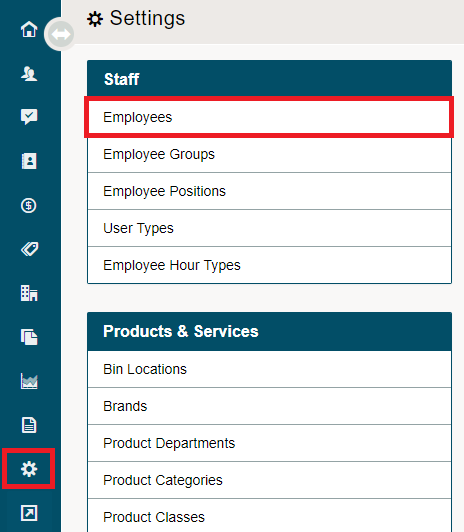
Go to the System Settings Module located on the left-hand menu. Click on Employees under the Staff heading.
Open the employee's profile.

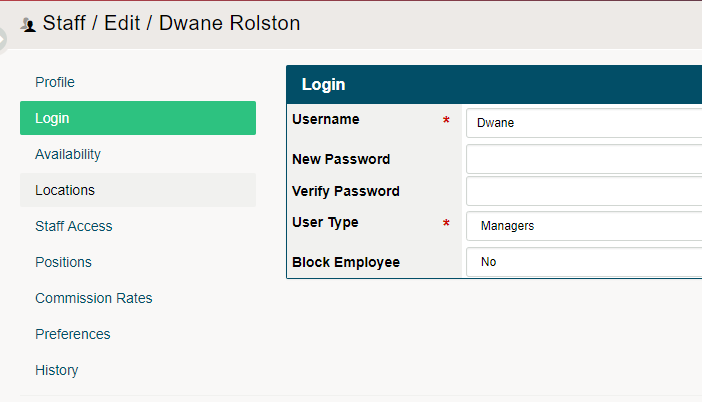
Click on the Login Tab. Once on the Employees Login page, change their Username, Password, and User Type. If you have existing employees that are no longer with the company use the Block Employee field turned to Yes.
Comments
0 comments
Please sign in to leave a comment.