
Employee Hour Types help managers keep track of the productivity and time of individual employees. By having employees list their daily hour breakdown, management can report on where their staffs total time was spent over the week or month by using the reporting module.
Example:
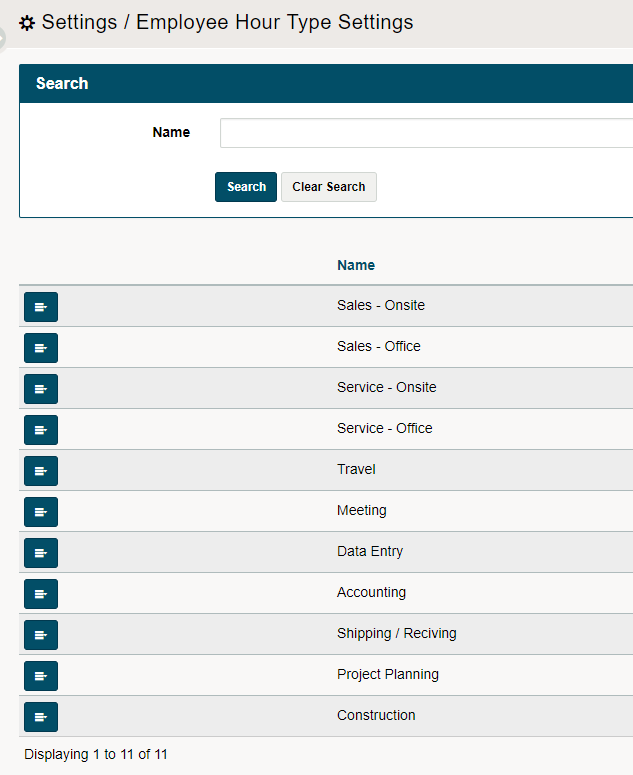
Home Medical Equipment Business has (3+) divisions. Think of what the general tasks of each employee per division would be broken down into on a daily basis.
Sales
- Onsite Sales
- Office Sales
Service
- Onsite Service
- Office Service
- Project Planning
- Construction
Admin/Operations
- Accounting
- Shipping / Receiving
General
- Travel
- Meeting
- Data Entry
- Miscellaneous
Steps
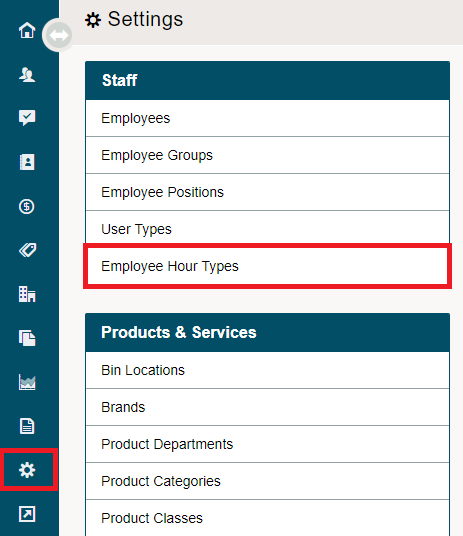
Go to the System Settings Module followed by the Employee Hour Types.
Next, click on the [+ Add Hour Type] button in the top right corner.

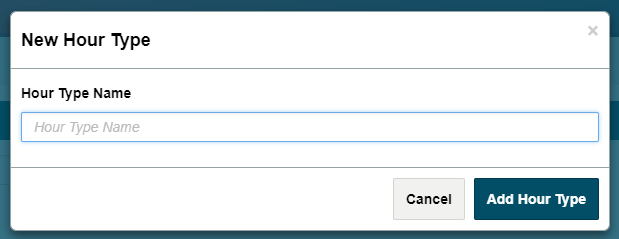
Fill out the name of the hours and click on Add Hour Type. Your new hour type will now be listed and employees will be able to select this hour type on their main dashboard.
For more information on how to use My Hours Click Here
To view more information on Time Management Reports click here
Comments
0 comments
Please sign in to leave a comment.