
Employee Availability helps dictate when employees can be scheduled for shifts, and when their calendar starts and ends for the day.
Types of Availability
Standard Availability
When the employee is able to work throughout the week.
Steps
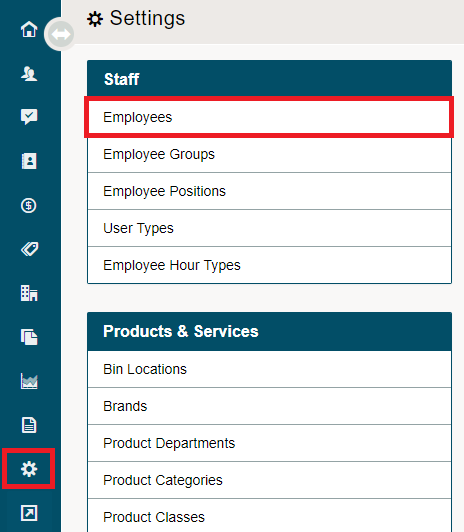
Go to the System Settings Module located on the left-hand menu. Click on Employees under the Staff heading.
Open the employee's profile.

Navigate to the Availability Tab.
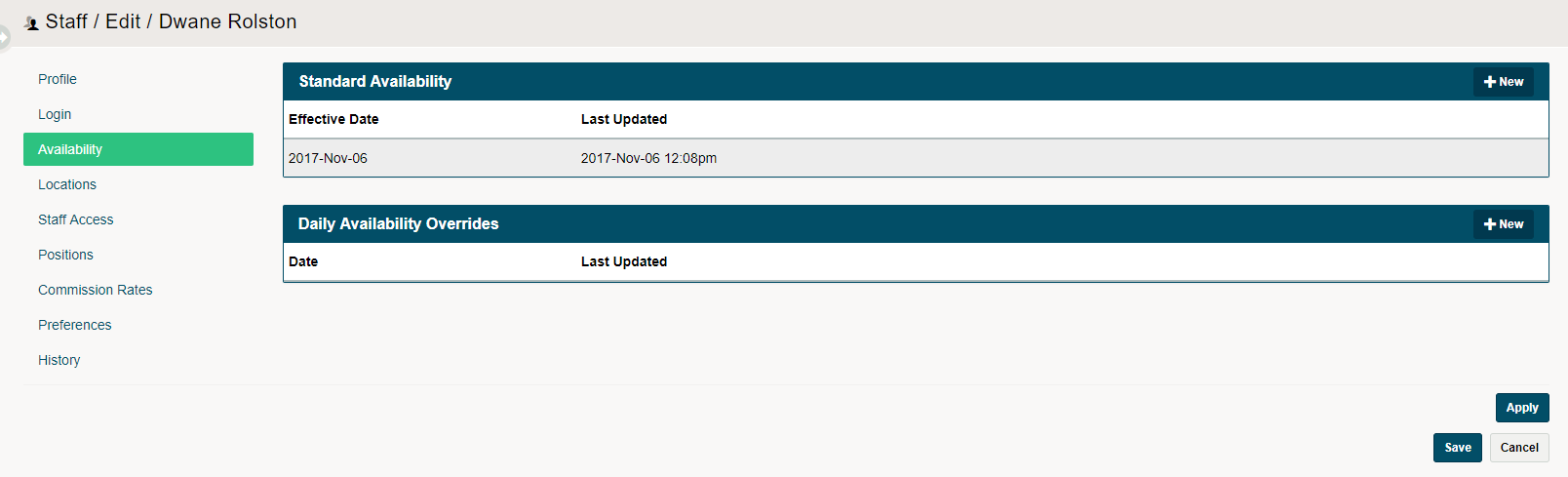
Be sure to list a Standard Availability for each staff member. Click on the (+ New) button in the top right of Standard Availability. A new window will appear.
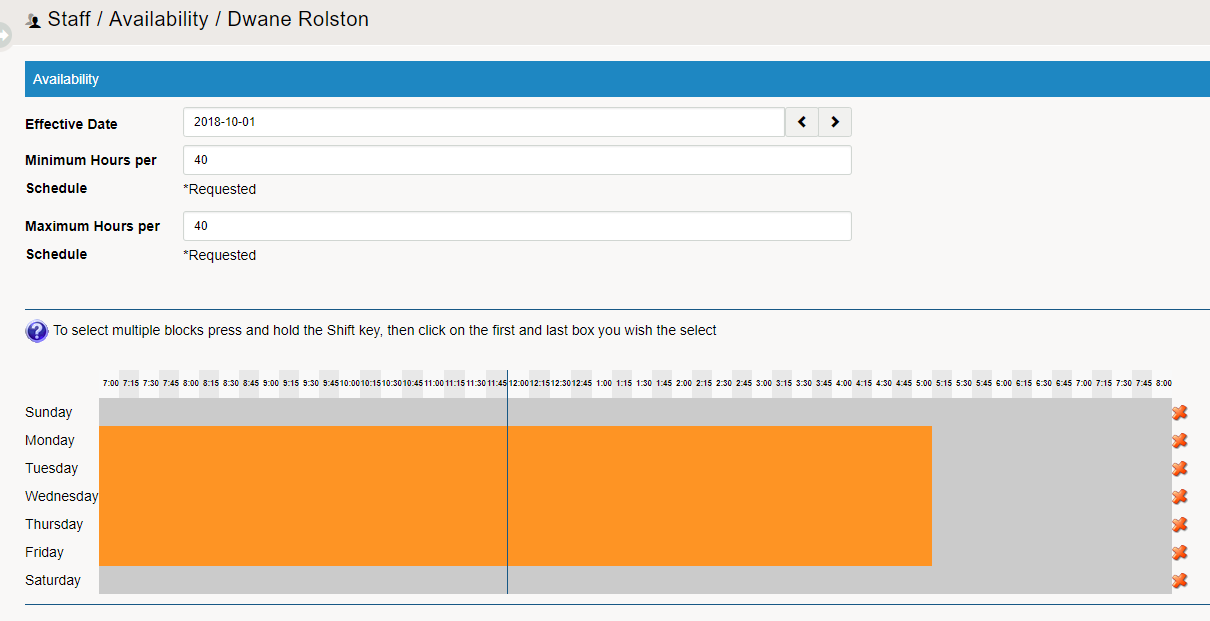
List the Effective Date, along with the minimum and maximum hours per schedule.
Lastly, select the blocks at the bottom of the page to list when the employee can work. To select multiple blocks press and hold the Shift key, then click on the first and last box you wish the select.
Daily Availability Overrides
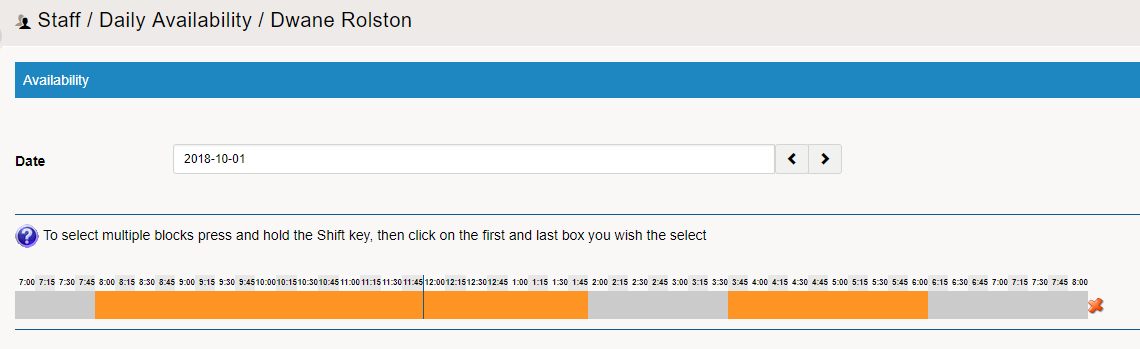
If the employee cannot work their regular shift selected through the standard availability, use the daily override to change the time they are available on such date. Use this when employees need time off to visit the doctor or have a personal appointment.
Comments
0 comments
Please sign in to leave a comment.