
While you can put universal terms and conditions on every invoice, you may have payment terms for individual customers, such as Cash on Delivery (C.O.D.) or Net 30 Days.
In your system, you will first define all the different payment terms you offer, then you can assign them to each customer you choose. The payment terms will print on the customer invoice if you have assigned terms to the customer.
Steps - Create payment terms
Go to the System Settings module, then under the Accounting Tab, choose Payment Terms.
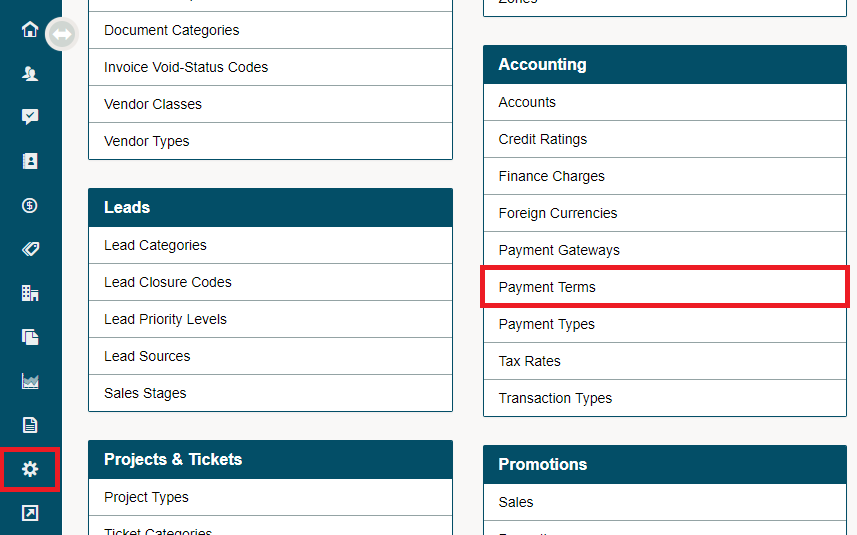
Click on the [+ New Payment Term] button in the top right corner.

In the new payment terms window, fill out the following fields.
- Name: Name of the terms (Net 30, Net 10, Net 7)
- Terms: Description of the terms
- Status: Active or Inactive
- Default: Will these terms always appear in a new customers profile
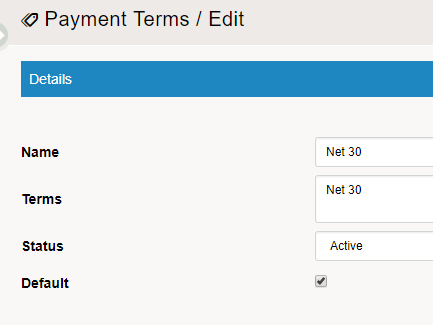
NOTE: Only one payment term can be selected as default. If you check this box on a payment term, it will override the default which may have previously existed.
Steps - Create a payment term for a customer
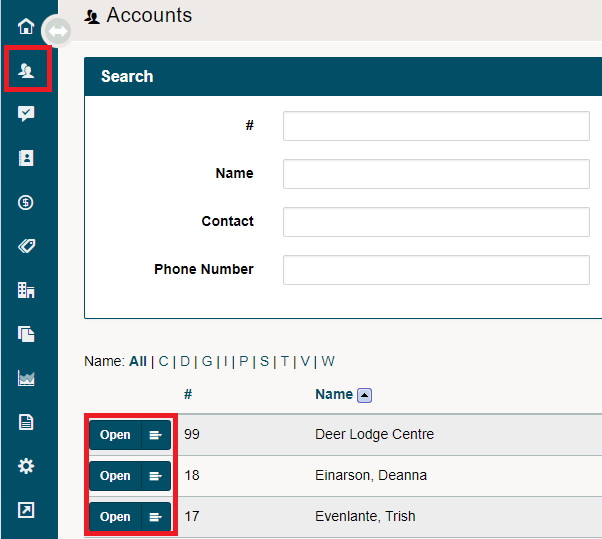
Go to the Customer module, then open the customer profile you wish to create or adjust payment terms for.
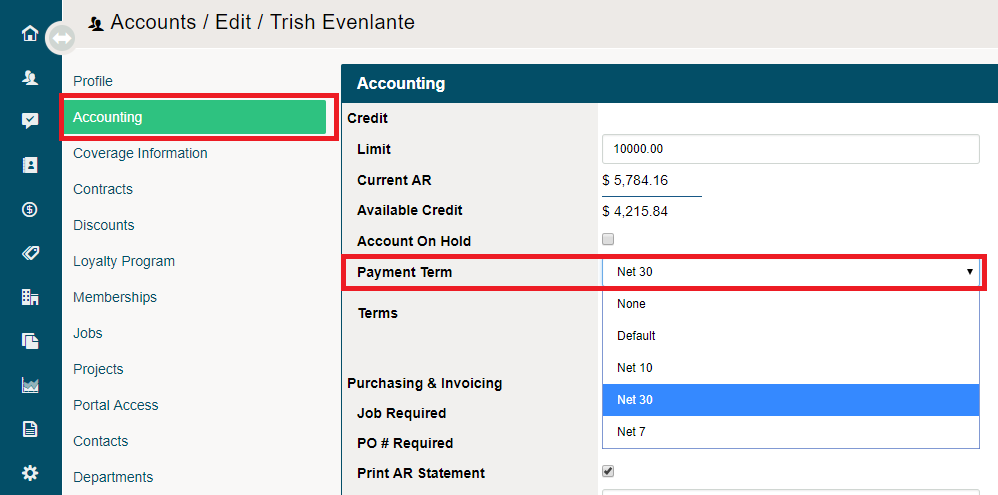
Choose the Accounting Tab in the customer's profile, then on the Payment Terms field, select the payment terms you would like to set for the customer. Finish by clicking on [Save].
Comments
0 comments
Please sign in to leave a comment.