
Taxes must be set up to properly process the applicable taxes applied to products and services. Taxes will then be linked to regions.
Start by creating taxes which will then be added to each region.
Regions are attached to Customers and Vendors allowing you to sell into separate provinces and states while making purchases from vendors in different provinces and states.
Click here to learn how to attach taxes to regions
Example
| Canada's Province | Rate type (HST, GST, PST) | Provincial rate | Canada rate | Total |
|---|---|---|---|---|
| Alberta | GST | 0% | 5% | 5% |
| British Columbia (BC) | GST+PST | 7% | 5% | 12% |
| Manitoba | GST+PST | 8% | 5% | 13% |
| New-Brunswick | HST | 10% | 5% | 15% |
| Newfoundland and Labrador | HST | 10% | 5% | 15% |
| Northwest Territories | GST | 0% | 5% | 5% |
| Nova Scotia | HST | 10% | 5% | 15% |
| Nunavut | GST | 0% | 5% | 5% |
| Ontario | HST | 8% | 5% | 13% |
| Prince Edward Island (PEI) | HST | 10% | 5% | 15% |
| Québec | GST + QST | 9.975% | 5% | 14.975% |
| Saskatchewan | GST + PST | 6% | 5% | 11% |
| Yukon | GST | 0% | 5% | 5% |
Steps
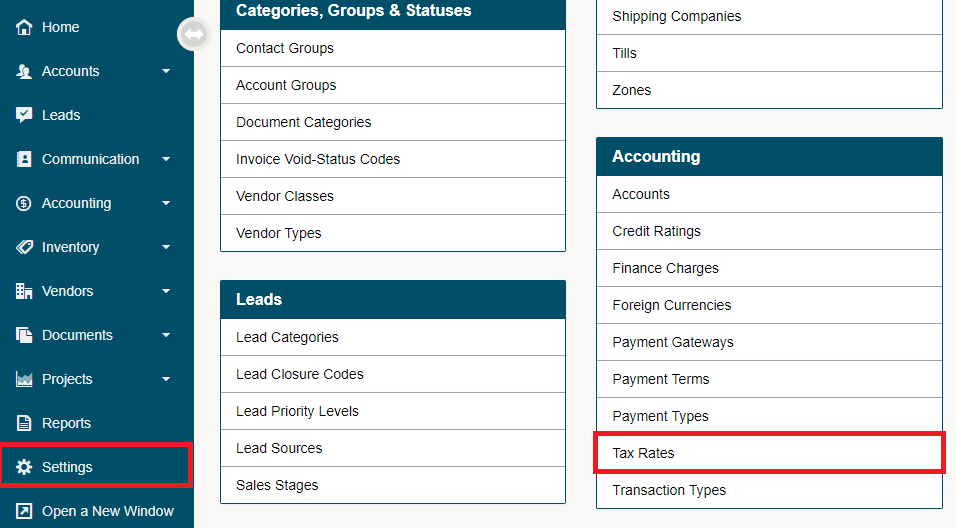
Go to Settings and choose Tax Rates under the Accounting Heading.
Select the [+ New Tax] button in the top right corner to add new taxes.

Fill out the fields with the code being the exact wording that will appear on customer receipts.
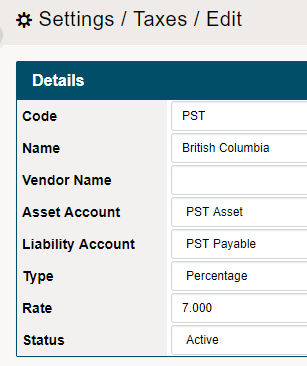
- Code: Assign a code for example: SK for Saskatchewan.
- Name: Assign a name for tax for example: Saskatchewan PST.
- Liability Account: If applicable, select an account from the drop-down menu.
- Type: Select from Percentage or Per Unit Fee (Levy).
- The Levy can be used for occasions when certain products incur a mandatory fee whenever sold.
- Rate: Enter the rate of tax.
- Status: The status can be set to Active or Deleted.
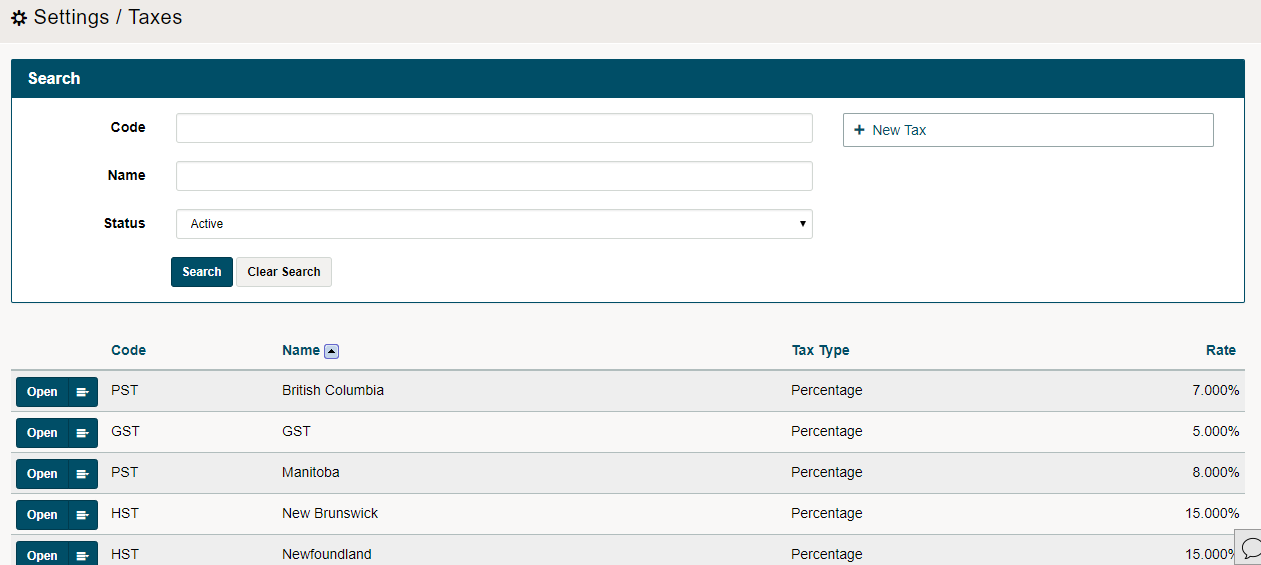
Finish by clicking on the [Save] button. You will now be able to see a list of all tax rates that have been created.
When creating (Quotes, Sales Order, Work Orders, Invoices and Purchase Orders) you will be able to apply the correct taxes to the Customer(s) or Vendor(s) region.
Comments
0 comments
Article is closed for comments.