
This will set the Payment Types you accept, and during which transactions you accept them.
Steps
Go to the Settings, then under the Accounting heading click on Payment Types.
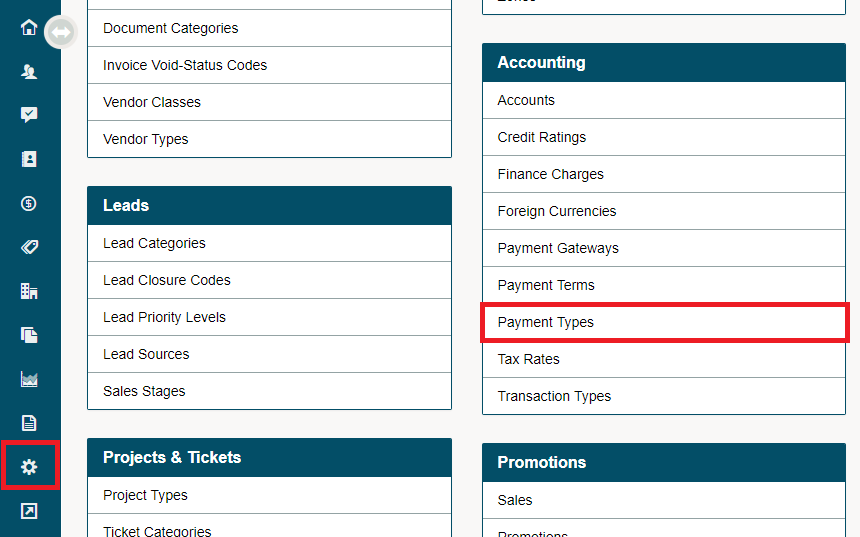
In the new Payment Type window, you will see the Payment Types listed on the left hand, followed by the Accounts that will be Debited and Credited, and lastly where the Payment Types will appear.
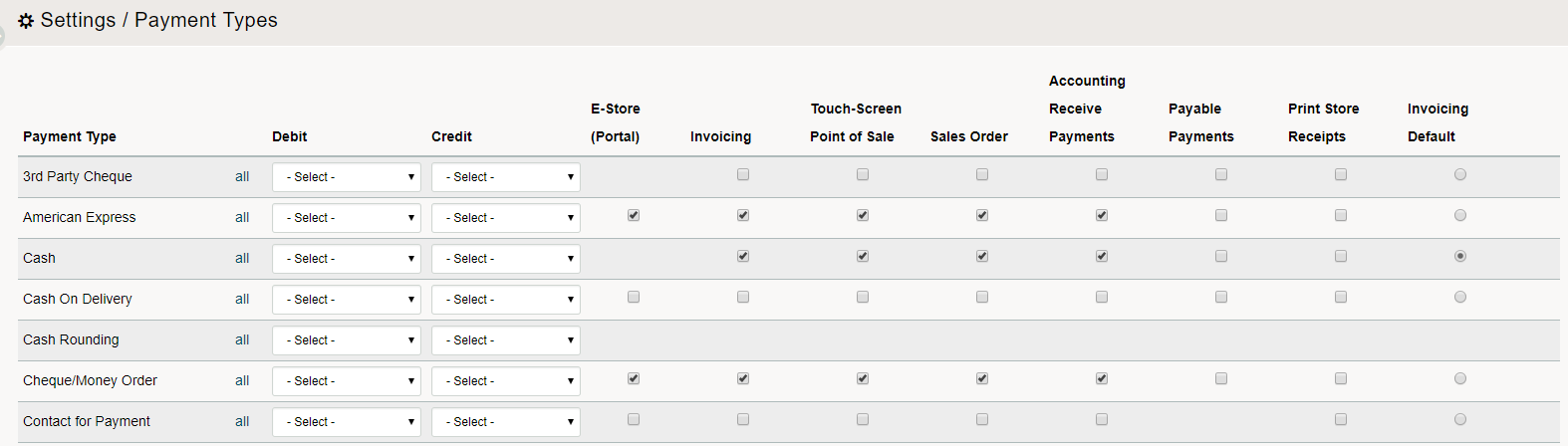
Check off payment types you accept for each of the different transactions.
For example, you may decide to accept cash at the Touch Screen POS, because you have a cash float there, but you might not accept cash for invoicing by a bookkeeper or accountant.
You can check each option individually or activate a payment type for all transactions by clicking the “All” selector.
TIP: You can choose which payment types particular customers are permitted to use. You would do this when a customer only wants to pay using one type of payment or you want to restrict to certain types of payment because of payment issues.
List of Payment Types
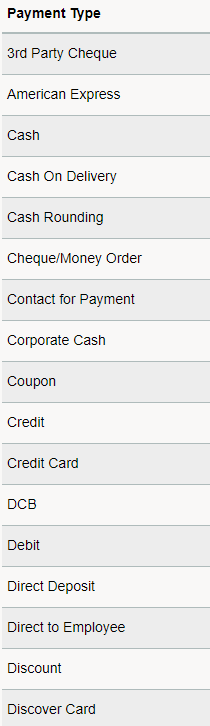
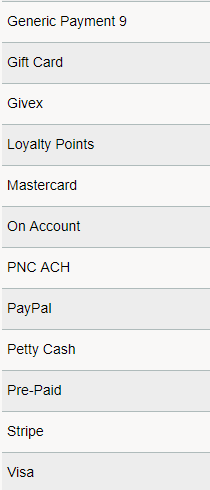
Locations of Payment Types
- E-Store (Portal)
- Invoicing
- Point of Sales
- Sales Order
- Receive Payments
- Payable Payments
- Print Store Receipts
- Invoicing (One set as default)
Comments
0 comments
Article is closed for comments.