
There are three types of transactions:
- Sale
- Rental
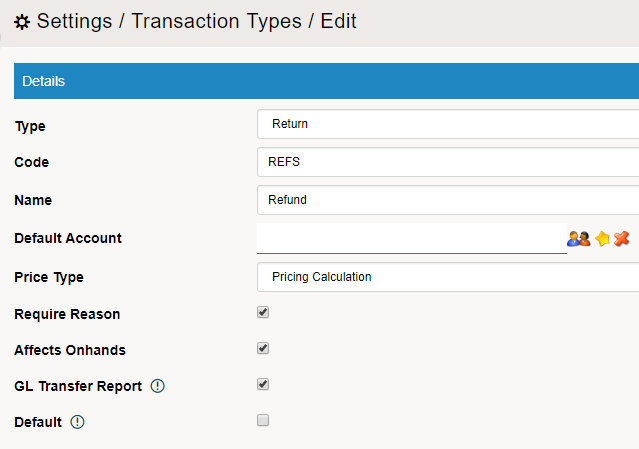
- Refund
- Refund - Sellable
- Refund - Non-Sellable Item
You only need to create the types of transactions you will actually use for your business.
Steps
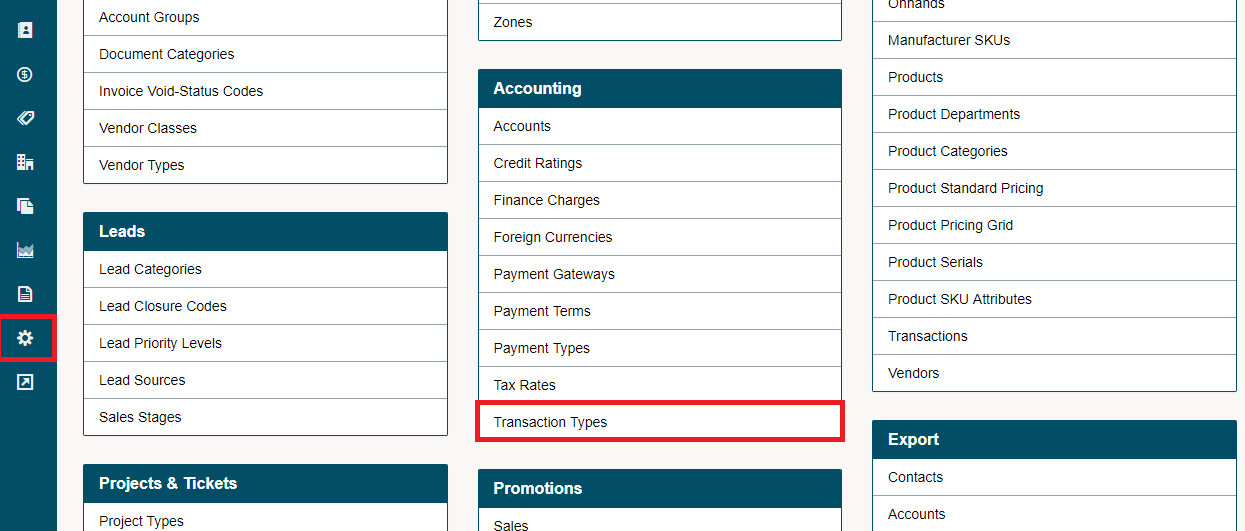
Go to the System Settings on the left-hand menu. Under the Accounting heading, choose Transaction Type.
Choose the [+ New Transaction Type] located in the top right-hand corner.
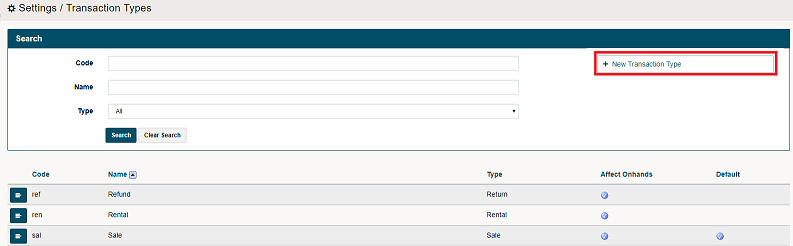
Transaction Types
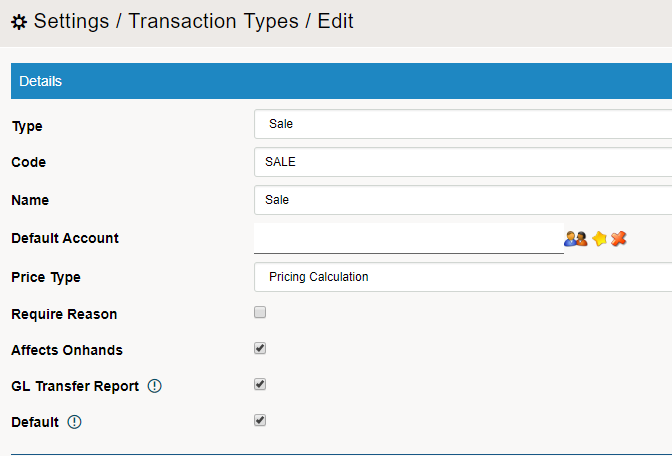
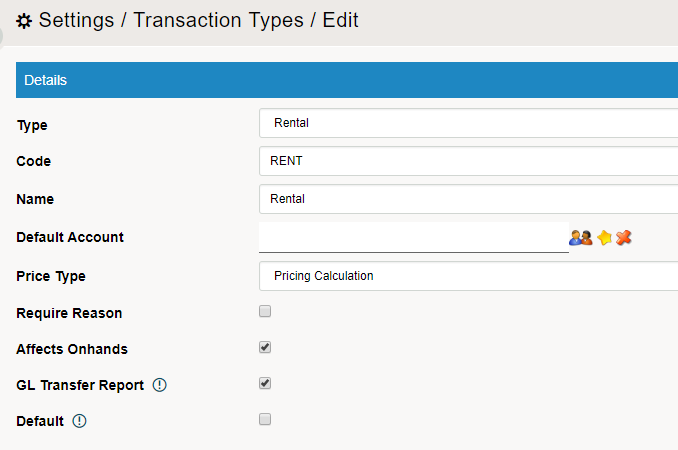
Set up your transaction types with
Types
Codes
Names
Default Account -
Price Type -
Sale
Rental
Returns
Return - Sellable
Return - Non-Sellable
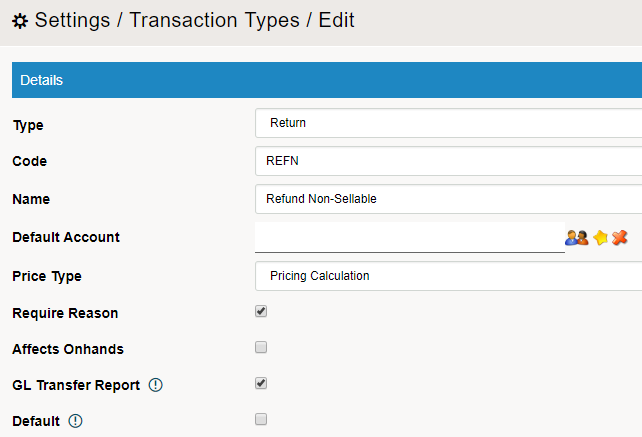
Note:
A transaction may not affect inventory on hands. For example, if a customer returns a product, you may need to investigate the product to ensure it is in saleable condition. Therefore, you may choose to not have returns effect on hands quantities. To be most clear, you can create two transaction types for returns: one which affects on hands and one which doesn't.
You can choose one type of transaction to be your default. Please ensure you don't choose "Refund" as your default transaction.
Comments
0 comments
Please sign in to leave a comment.