
Find all of your customers with Accounts Receivable, and create a list of PDF with specifics on the account and amount owing.

Steps:
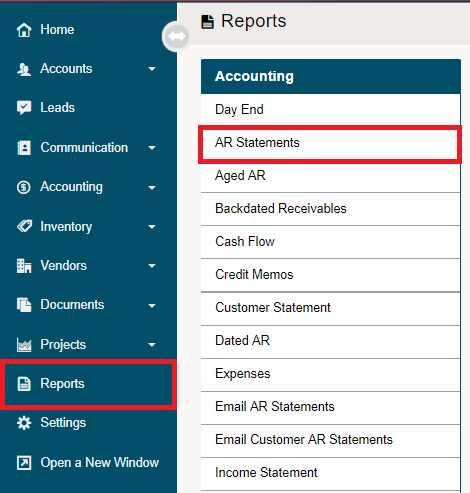
Go to the Reporting module, then click on AR Statements under the Accounting heading.
Use the report parameters to create the report and click on the Create button. Select from:
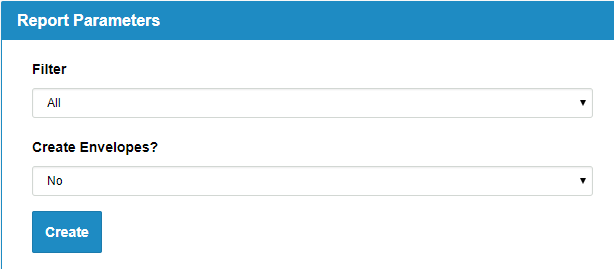
- Filter - Date that the AR is outstanding by (All, <30, 30-60, 60-90, > 90, > 30)
- Envelopes - Adjust the size of the PDF for sending
Comments
0 comments
Please sign in to leave a comment.