
Use the Customer Statement report to find out the customers debts and credits for the year.
Steps:
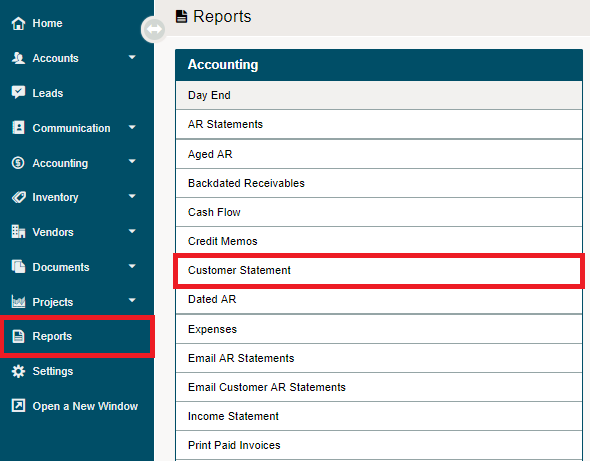
Go to the Reporting module, then click on the Customer Statement Report under the Accounting heading.
Report Parameters:
Start Date
End Date
Account: Customers name. Use the search button if you cannot find the customer you were looking for.
Invoice Detail
Output: PDF or Microsoft Excel
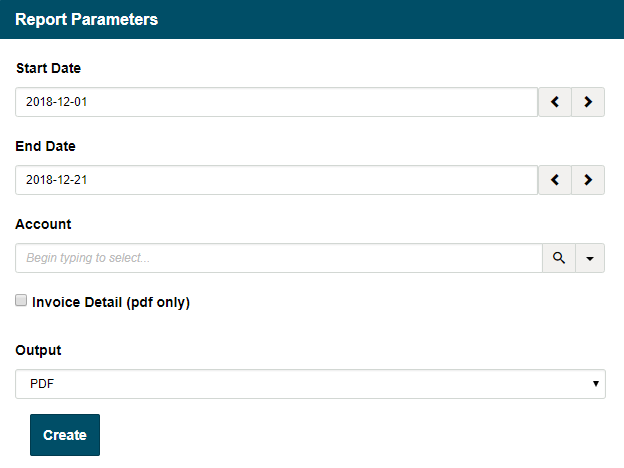
Note: A customer must be selected or the details in the PDF/Microsoft Excel will not populate.
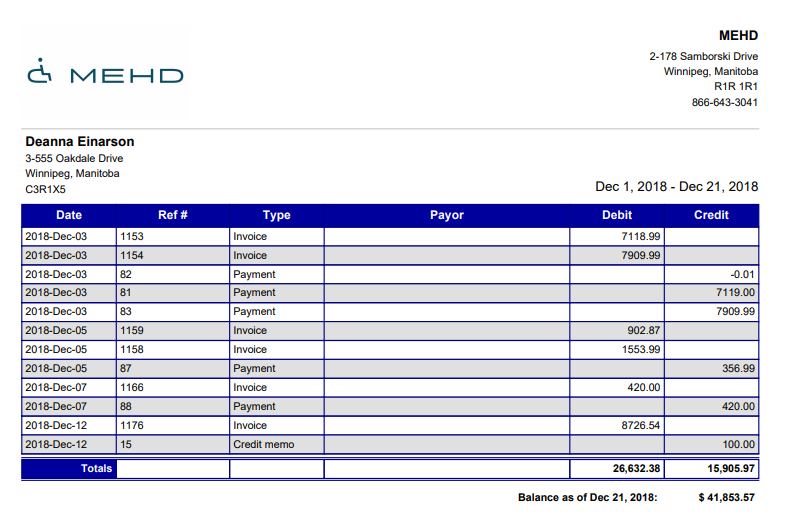
PDF File
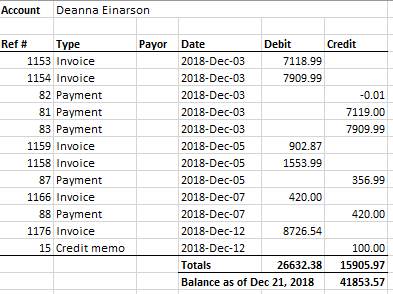
Microsoft Excel File
Comments
0 comments
Please sign in to leave a comment.