
Use the expense report to list all of your expenses between a time period.
If you are not keeping track of expenses in MEHD / GO Business, use your accounting package to list and pay all expenses.
Steps:
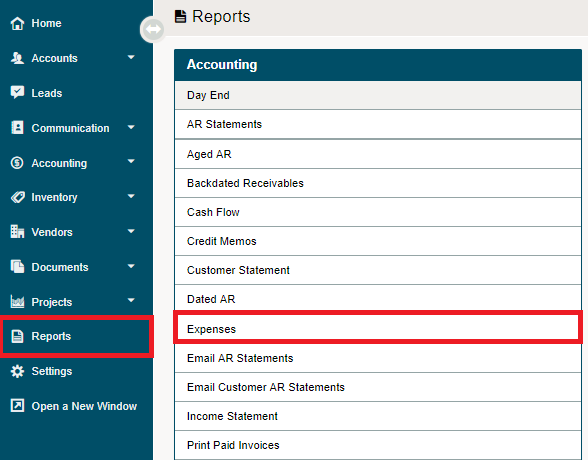
Go to the Reporting module, followed by clicking on the Expenses report under the Accounting heading.
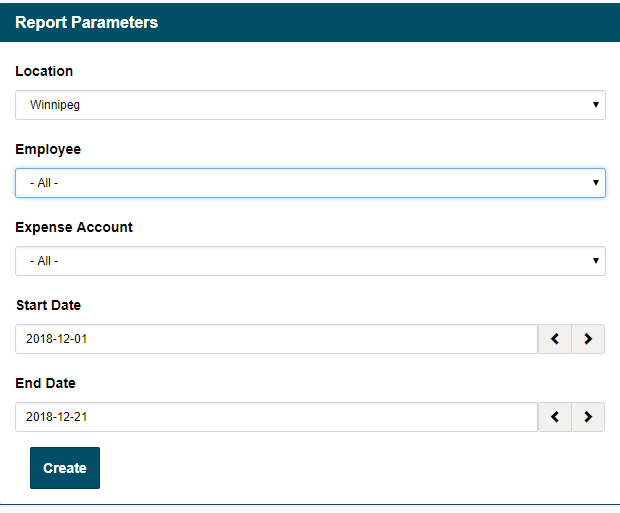
A new window will appear, adjust the report parameters:
- Location
- Employee
- Expense Account
- Start Date
- End Date
A Microsoft Excel file will be created and downloaded to your local computer with the following fields:

Comments
0 comments
Please sign in to leave a comment.