
Want to go back throughout the year and find out the income statement for the month and the year to date?
Use the income statement report to do just so.
Steps:
Click on the Reporting module, followed by clicking on the Income Statement report under the Accounting heading.

Select the location you would like to create the income statement report for, as well as selecting the date ending.
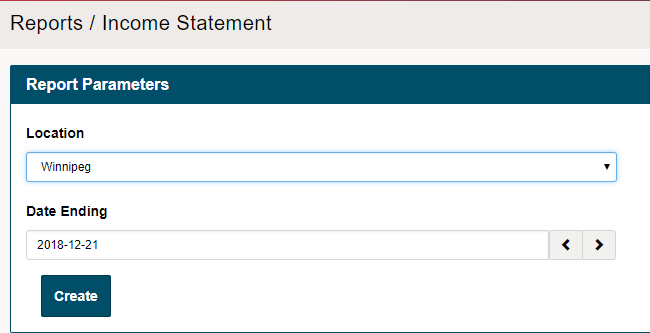
If you would like to backdate an income statement for a month, simply select the date ending for the month you would like to view.
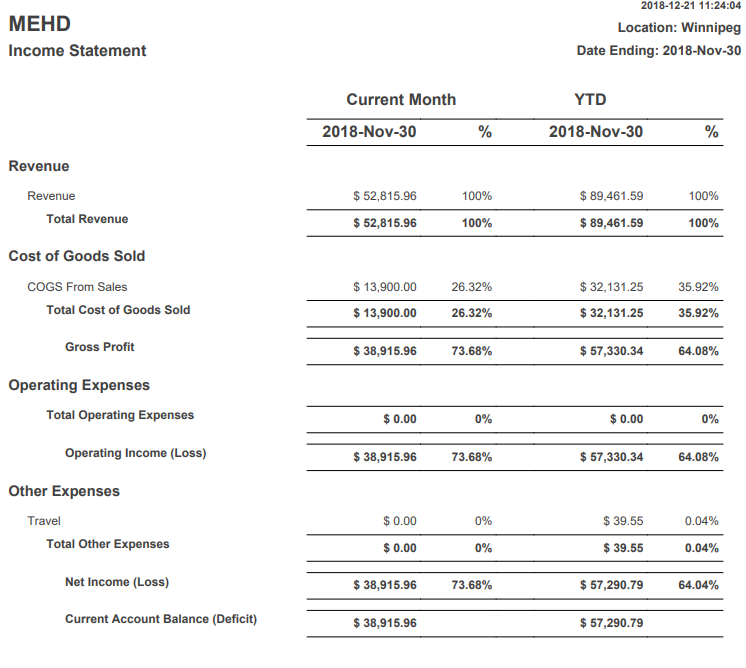
Example: if it is currently December and you would like to see an Income Statement for November, simply adjust the 'date ending' to 2018-11-30. This will pull information for the month of November as well as the year to date up until November.
If all expenses are being operated in MEHD / GO Business then you will need to create the chart of accounts for the proper payables and expenses. If you are paying against expenses such as travel, food, and payroll that is kept in your accounting package, please reference both income statements for Revenues, COGS, Operating Expenses, and Other Expenses.
Comments
0 comments
Please sign in to leave a comment.