
Credit Memo Report will show users a list of all outstanding credit created for customers.
Steps:
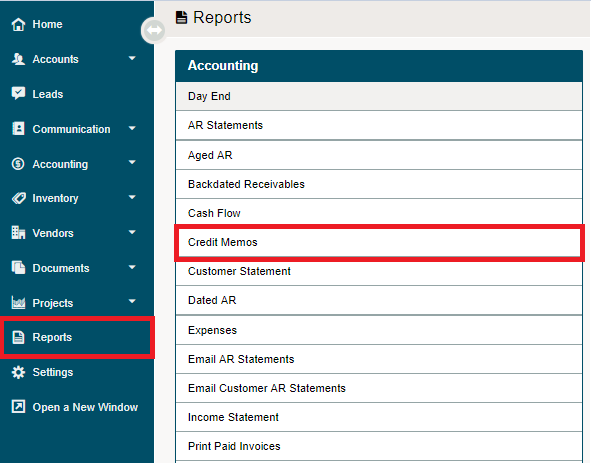
Go to the Reporting Module, followed by clicking on the Credit Memo Report under the Accounting heading.
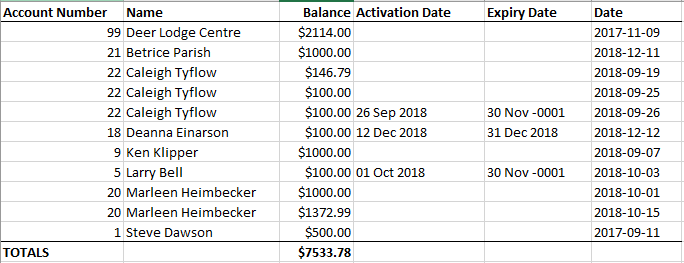
There are not report parameters as the report is generated in Microsoft Excel and lists all the outstanding credits with the attached Customer, Balance, Activation Date, Expiry Date and the day it was created.
Comments
0 comments
Please sign in to leave a comment.