
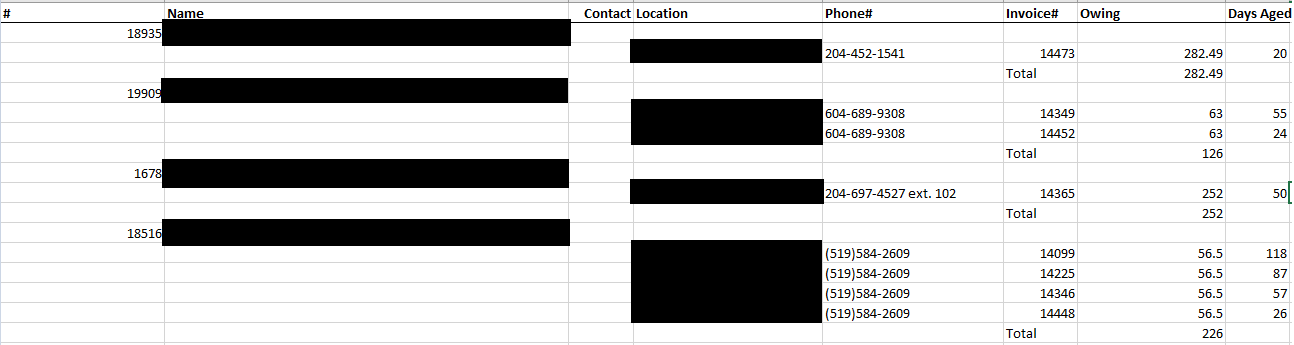
The Aged AR Report automatically creates a Microsoft Excel file that will be downloaded directly to your local computer as 'agedreport'.
The report shows:
- Customer Name
- Contact Name
- Location: Where the invoice was created
- Phone #: For the customer
- Invoice #: For reference to the customer's profile
- Owing: Total AR for
- Days Aged: The number of days overdue
At the end of the report a summary is listed of:
- Average Days Aged
- Total Receivable
Comments
0 comments
Please sign in to leave a comment.