
If you would like to set your commission rates up by staff members rather then by departments, categories, and products, the Employee Commissions under the Employees Profile is a great place to start.
Unlike general commission rates per department, category, and product, your employees may have different commission rates for the same products. This might be due to seniority or contract agreements.
Example
John has been with Mountain Car Sales for 20 years as a sales associate and Wayne has been with the company for 5.
In their employee contracts:
- John is set to make commissions of 8% on Truck Sales, 5% on SUV Sales, and 4% on Car Sales
- Jim is set to make commissions of 5% on Truck Sales, 4% on SUV Sales, and 3% on Car Sales
In this case, the commissions are dependent on the department and the employee, so it's best to set up Employee Commissions. Use the Commissions By Employee Report under the Reports Module to track how much commissions should be paid out to each employee and if the sale has been invoiced and paid or is still in receivables.
Steps
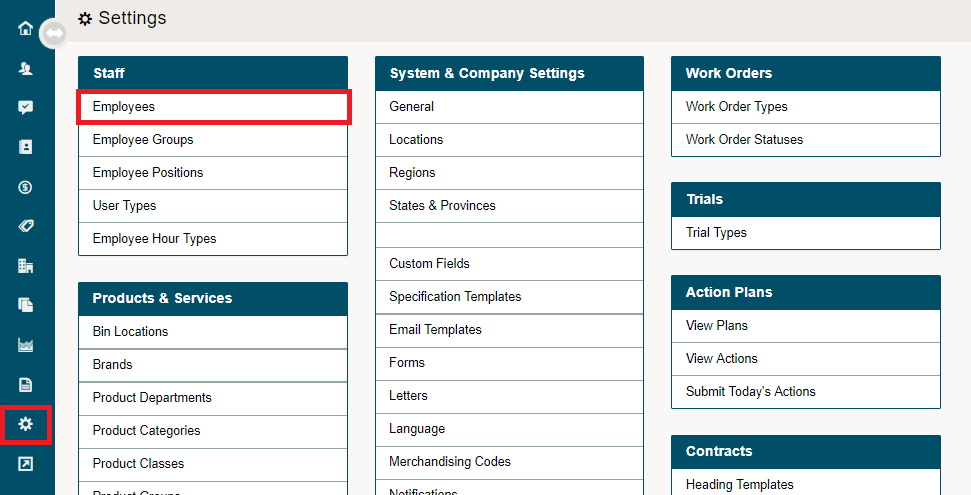
Go to Employee profiles located under System Settings.
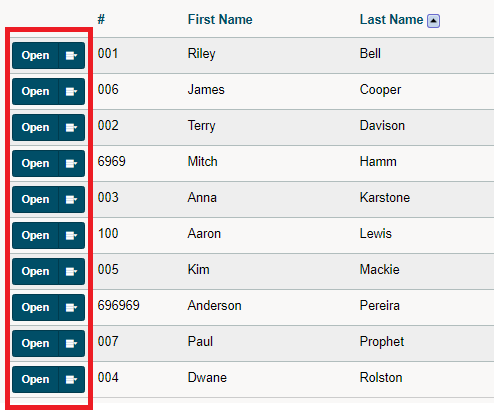
Then open the employee profile you wish to add commissions too.
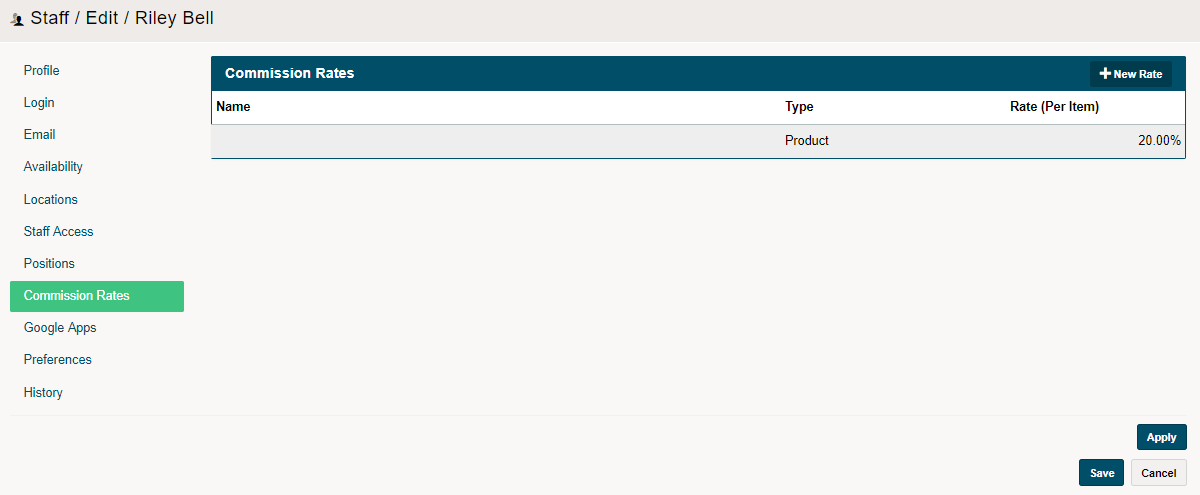
Click on the Commission Rates tab and then click on the (+ New Rate) in the top right corner to add a new Commission Rate. Be sure to select the department, category or product that the commission belongs to.
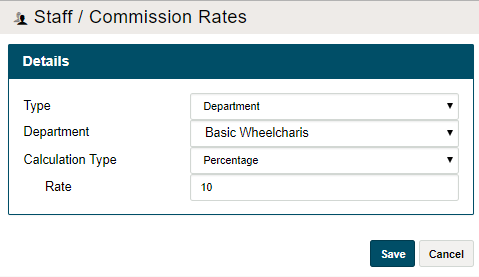
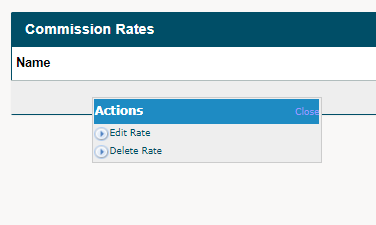
To edit the rate, hover over the name of the rate and then click on edit rate.
To delete the rate, hover over the name of the rate and then click on delete rate.
Comments
0 comments
Please sign in to leave a comment.