
Want to view a list (PDF or Excel) of all customers that have made a payment over a set date - use the Payments Received report.
Steps:
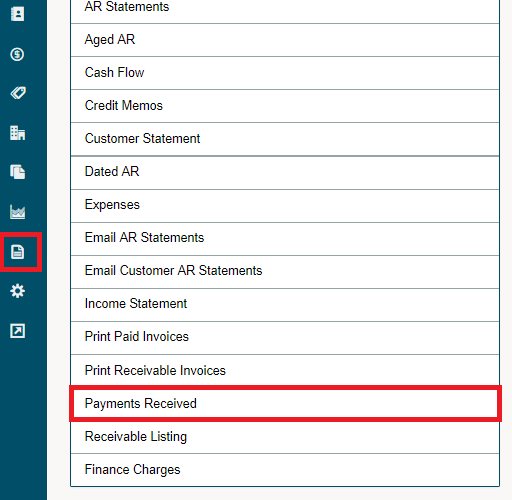
Click on the Reporting module, followed by clicking on the Payments Received report under the Accounting heading.
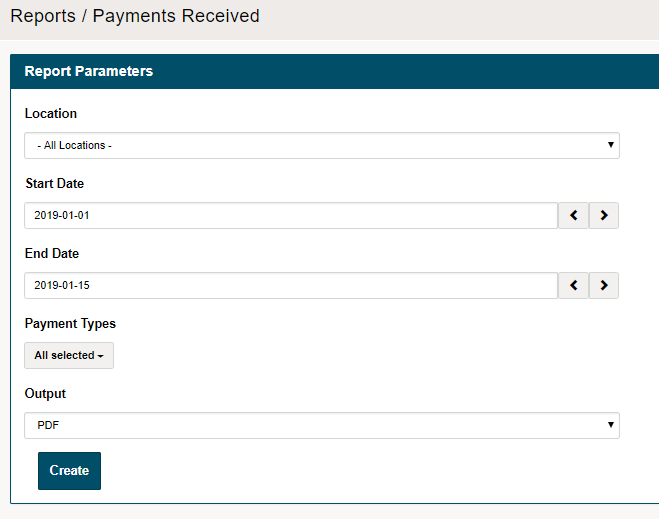
Set up the report parameters:
- Location - which location would you like the report to run for
- Start Date
- End Date
- Payment Types (All, Cash, Credit, Credit Card, Debit, Gift Card, Visa, Master Card, etc.)
- Output - PDF or Excel
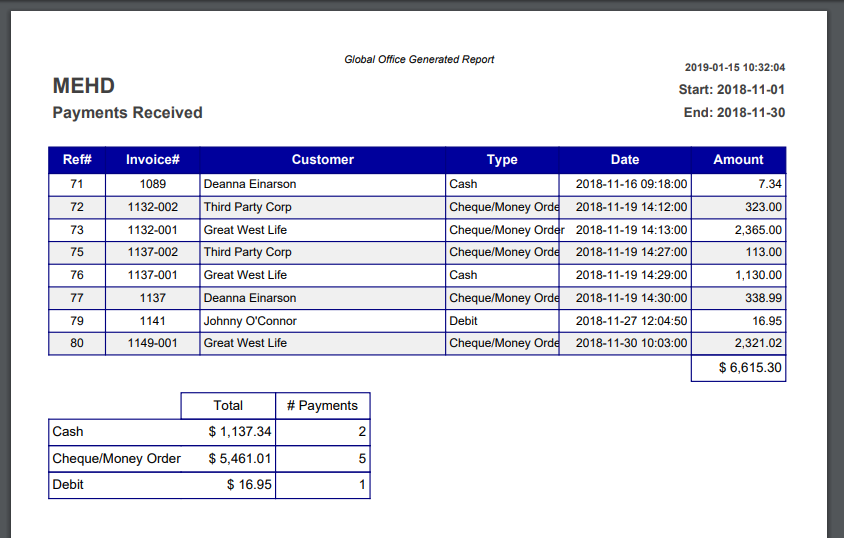
PDF Output
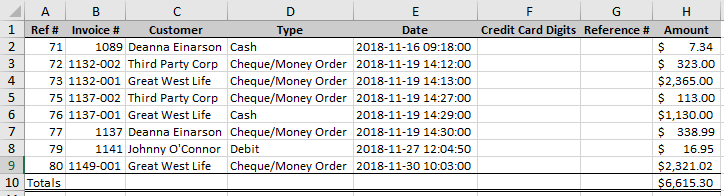
MS Excel Output
Comments
0 comments
Please sign in to leave a comment.